Star trail stacking on a Mac: free, nothing to install, honestly compared
The two tools most guides recommend for star trails are Windows-only. On a Mac you have three real options:
StarStaX for a native desktop workflow, Siril for deeper astrophotography, or this browser-local stacker,
which equalises each frame’s sky automatically, reads camera RAW, and installs nothing. The comparison
below says what each does, including where this one is weaker. It ends with what has actually been proven on
a Mac rather than assumed.
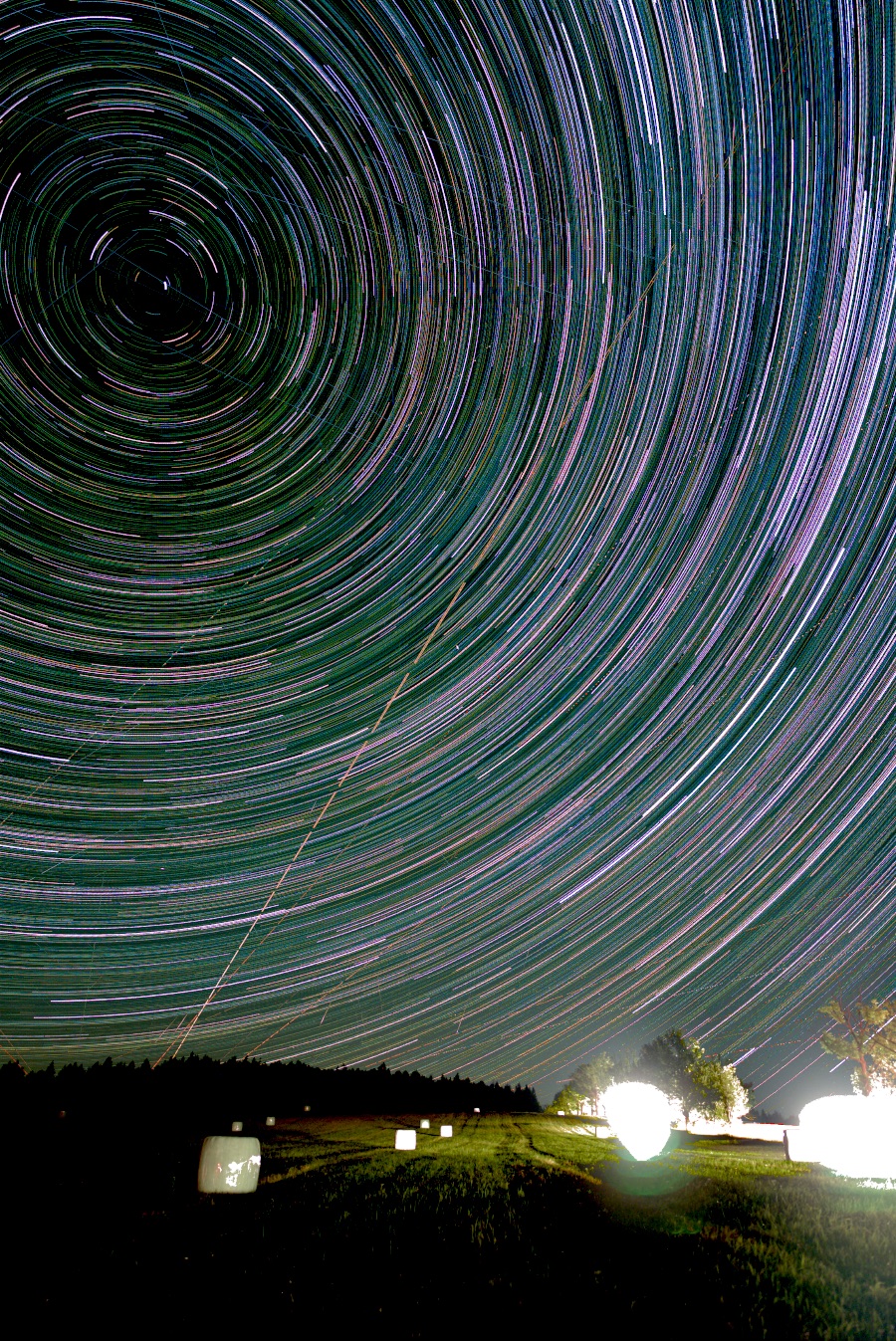
A star trail built entirely in a browser tab — the same result on macOS, Windows or Linux, nothing installed.
What runs where
Star trail stacking tools by platform and capability
Tool
Runs on
Blend
Per-frame sky equalisation
RAW
Sequator
Windows only
lighten, plus a star-trails mode
light-pollution reduction, mode-scoped
yes
StarTrails.de
Windows only
lighten
no
no
StarStaX
macOS, Windows, Linux
lighten, with gap filling
no
no
Startrails Creator
macOS (Mac App Store)
lighten, with time-lapse export
no
no
Starry Landscape Stacker
macOS (Mac App Store, paid)
none — aligns and averages for point stars, not trails
no
yes
aerotimelapse.com
any browser
eight modes, all plain
no
no
Siril
macOS, Windows, Linux
general astronomical stacking
background extraction, manual
yes
this site
any browser
lighten, float32 linear
yes, per frame, automatic
selected camera RAW: CR2, CR3, NEF, ARW, ORF, RW2, PEF, RAF; five governed DNG samples (one-frame browser evidence)
Scroll the table sideways for the remaining columns.
You have a Windows machine and want Sequator’s documented workflow
It ships an intelligent sky mask, foreground detection so the landscape is stacked separately from the sky,
RAW input, 16-bit TIFF, light-pollution reduction and a star-trails mode. This site now covers several of
those jobs in the browser, but Sequator remains the mature Windows choice; if you can run it, compare both.
You want a desktop application on macOS and a familiar workflow: StarStaX
Native, free, long-established, with gap filling and comet mode. It does a plain lighten blend, which is
exactly the blend the measurement on this site is about, and its gap-fill
amount is a slider you set by eye.
You want more blend modes and dark-frame handling in a browser: aerotimelapse.com
Free, browser-local, with gap fill, comet mode, dark frames and plane rejection. Those are real features and
this site does not claim them as new. Its blends are plain — no per-frame background equalisation — and its
documented plane rejection is the per-pixel temporal kind, which
measures badly for trails for a reason worth understanding: a star trail
is itself a single-frame spike at every pixel it crosses.
You are doing serious astrophotography and will read a manual: Siril
Its documentation covers registration, calibration and background extraction across macOS, Windows and
Linux. It is a general astronomical workflow rather than a star-trail-only browser tool.
You want the faint end of a light-polluted night, on any machine, with nothing installed: this
It equalises each frame's sky background before the blend, which recovers faint trail a plain lighten
loses, and it computes the gap-fill radius from your files instead of asking you for it. How much it
recovers depends on how much your sky moved — measured on three cameras at
between 1.3× and 4.5×, and the tool tells you where your own night sits. It runs in the tab, on macOS,
Linux, Windows or ChromeOS, and it uploads nothing.
Why Sequator will not run on your Mac, and what people do instead
Sequator’s documented desktop build is for Windows, not macOS. The guides that show it running on a Mac
are running the Windows program through a Wine wrapper such as Whisky or CrossOver, or inside a virtual
machine. That works for some people. It is also a Windows binary under translation, on Apple silicon under
two layers of it, and it is a route this site has not measured — so it is not what “runs on a
Mac” means anywhere on this page.
Two native Mac tools come up in the same forum threads, and they are not interchangeable.
Startrails Creator is the Mac App Store sibling of StarTrails.de: a plain lighten stacker
with time-lapse export, for JPEG and TIFF. Starry Landscape Stacker is the one most often
named as “Sequator for Mac”, and for the Milky Way it is: it aligns the sky across frames and
averages them so the stars stay points and the noise drops. That is the opposite of a star trail. If
you arrived here wanting trails, it is the wrong tool, however good it is at its own job.
If you need a native Mac workflow for trails, choose a cross-platform option in the table above or use this
browser tool.
What has actually been proven on a Mac
“Works in any browser” is cheap to say. This is what has been recorded, and where each record
stops.
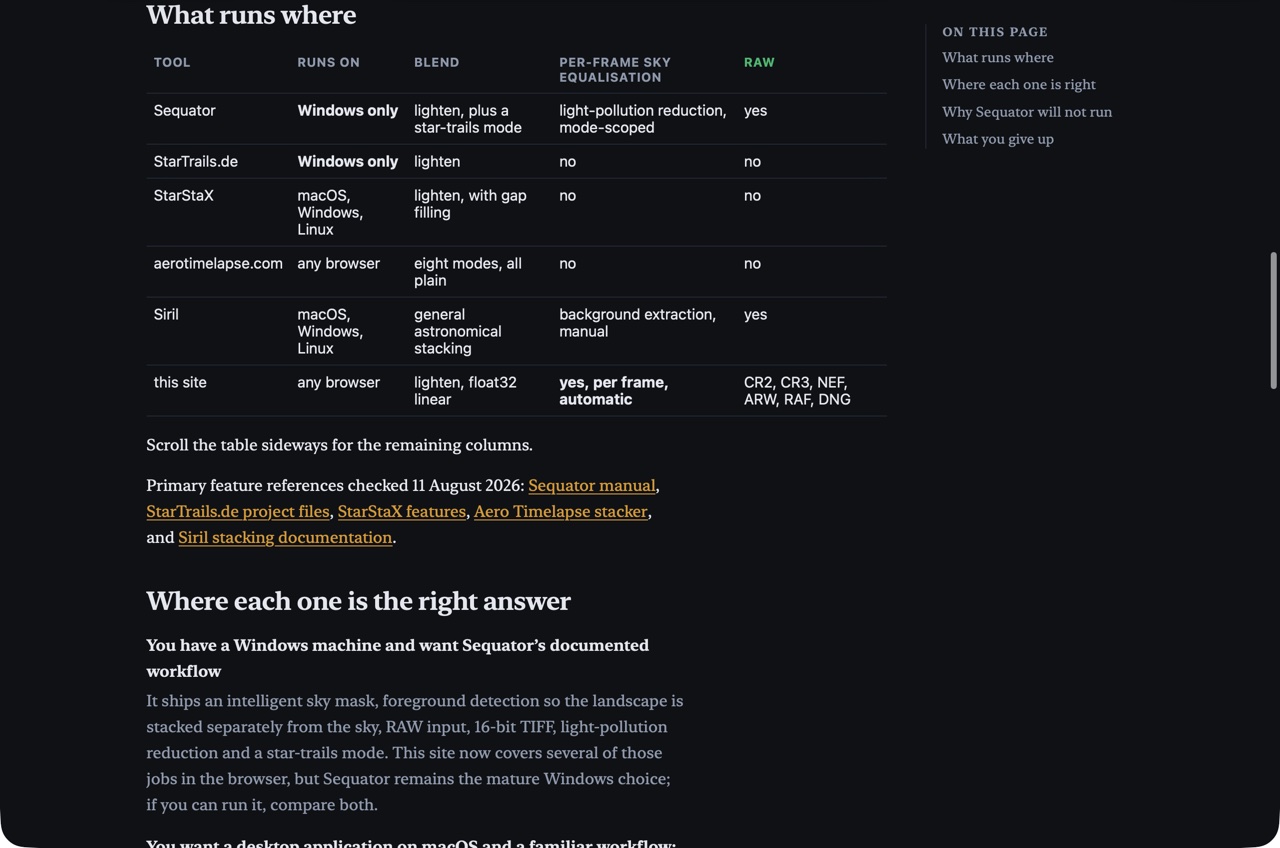
A real Safari 26.5 run on macOS 26.5, Apple silicon. The receipt below shows this page
rendering in system Safari, and a separate functional receipt records a twelve-frame synthetic Star-trails
sample finishing with “Done — 12 frames stacked in 63 s.” That proves the journey
completes in Safari. It does not prove speed — the run shared a machine with other work — and
the sample is generated frames, not camera RAW.
Every advertised format, in WebKit. The release gate drives the built site in Chromium,
Firefox and WebKit behind the site’s own security policy, through the real worker, over every raster
format and every supported RAW. That is the Playwright WebKit engine, not a boxed Safari, which is why the
Safari receipt above exists separately.
What Safari costs you. The RAW decoder needs Safari 18.4 or later; older Safari still
stacks JPEG, PNG, WebP and TIFF. Safari’s worker cannot paint a bitmap, so JPEG and WebP frames take a
slower page-side decode than in Chrome; RAW is unaffected. Safari offers no folder picker and no
write-straight-to-file, so you select files and the result downloads the ordinary way. The tab is given a
committed budget of 2.5 GB in Safari against 3 GB in Chrome and Firefox, and the page states the estimated
peak before a run starts rather than failing late. Every browser’s numbers are on
one page.
Add to Dock. Safari 17 and later installs any site as a web app from the File menu; Chrome
and Edge offer Install from the address bar. You get a window and an icon. It is still the live site, and
there is no offline mode yet — this site keeps no storage in your browser at all, and that is a
privacy decision before it is a technical one.
What is not proven. No full camera-RAW night has been timed in real Safari on this site.
iPhone and iPad are not claimed: a phone tab is capped at 0.5 GB here because iOS kills a tab that grows
past it without an error, and that is a hard refusal before a byte is decoded.
What you give up by using a browser
Two real things, and it is better to know them now.
Some RAW files. Canon CR2 and CR3, Nikon NEF, Sony ARW, and compatible Fujifilm RAF are read
directly now. Olympus and OM System ORF, Panasonic RW2 and Pentax PEF are read too, and stacked two frames at a time in Chromium, Firefox and WebKit. Five governed camera-written DNG samples have passed bounded Node pixel proof; browser evidence is
limited to one-frame intake/refusal, not multi-frame DNG stacking. Four classes are refused by name: Nikon High
Efficiency NEFs, already-demosaiced linear DNGs, Fujifilm GFX medium-format frames, and legacy Fujifilm SuperCCD
files with rotated sensor geometry. For those,
export lossless 16-bit TIFF or PNG from your raw developer in
one batch. Our earlier 8-bit comparison used a broken noise estimate and
is being re-measured; JPEG chroma subsampling also changes tiny-star colour
in the controlled browser fixture. Lossless 16-bit is the supported recommendation meanwhile.
Fujifilm frames are slow, and it is the compression rather than the colour pattern. A
compressed X-Trans RAF takes three to five times as long to decode as a Canon or Nikon frame of the same
size — the Bayer-sensor GFX bodies pay exactly the same penalty. Budget a Fuji night by measurement, not by
analogy.
Memory. A browser tab gets a bounded slice of your machine. Star trails uses a fixed set of
accumulators, while Nightscape with an automatic mask or median ground and Calibration Lab with Median or
Clipped average retain additional frame planes. Deep sky Mean streams its accumulator, while exact Median and
sigma-clipped mean retain registered Lights and may therefore be refused at a size Mean can run. Its signed
Float32 FITS export is included in the same peak. The ceiling includes the selected mode, method, dimensions and
frame count and states the estimated peak before it starts, rather than failing late in the run.
Mac star-trail stacking questions
Does Sequator run on a Mac?
Not natively. Sequator is Windows-only, and the guides that show it on a Mac are running the Windows program through a Wine wrapper such as Whisky or CrossOver, or in a virtual machine. That is a route this site has not measured. The native Mac options for star trails are StarStaX, Startrails Creator from the Mac App Store, and browser-local stackers like this one.
What is a free star trail stacker for macOS?
StarStaX is the established free desktop option on macOS. Siril is the broader astrophotography option, and browser-local stackers need no installation.
Can I stack star trails without installing anything?
Yes. This browser-local stacker reads, combines and encodes the images inside the tab, so the photographs are not uploaded.
Does it work in Safari?
Yes. The RAW decoder needs Safari 18.4 or later, the tab is given a 2.5 GB working budget in Safari and the page states the estimated peak before a run starts, and JPEG and WebP frames take a slower decode path than in Chrome. A real Safari 26.5 run on macOS is recorded on this page; it proves the journey completes, not how fast.
Can I install it on my Mac like an app?
Safari 17 and later can add this site to the Dock as a web app: File, Add to Dock. Chrome and Edge offer Install from the address bar. Either gives you a window and an icon; it is still the live site, and there is no offline mode yet.
Real Safari 26.5 route-rendering screenshot at build d4330289. This image proves that this guide rendered in system Safari on macOS 26.5; it is not the completed sample result. A separate functional receipt records a 12-frame synthetic sample ending “Done — 12 frames stacked in 63 s.” Neither is camera output or a performance benchmark.