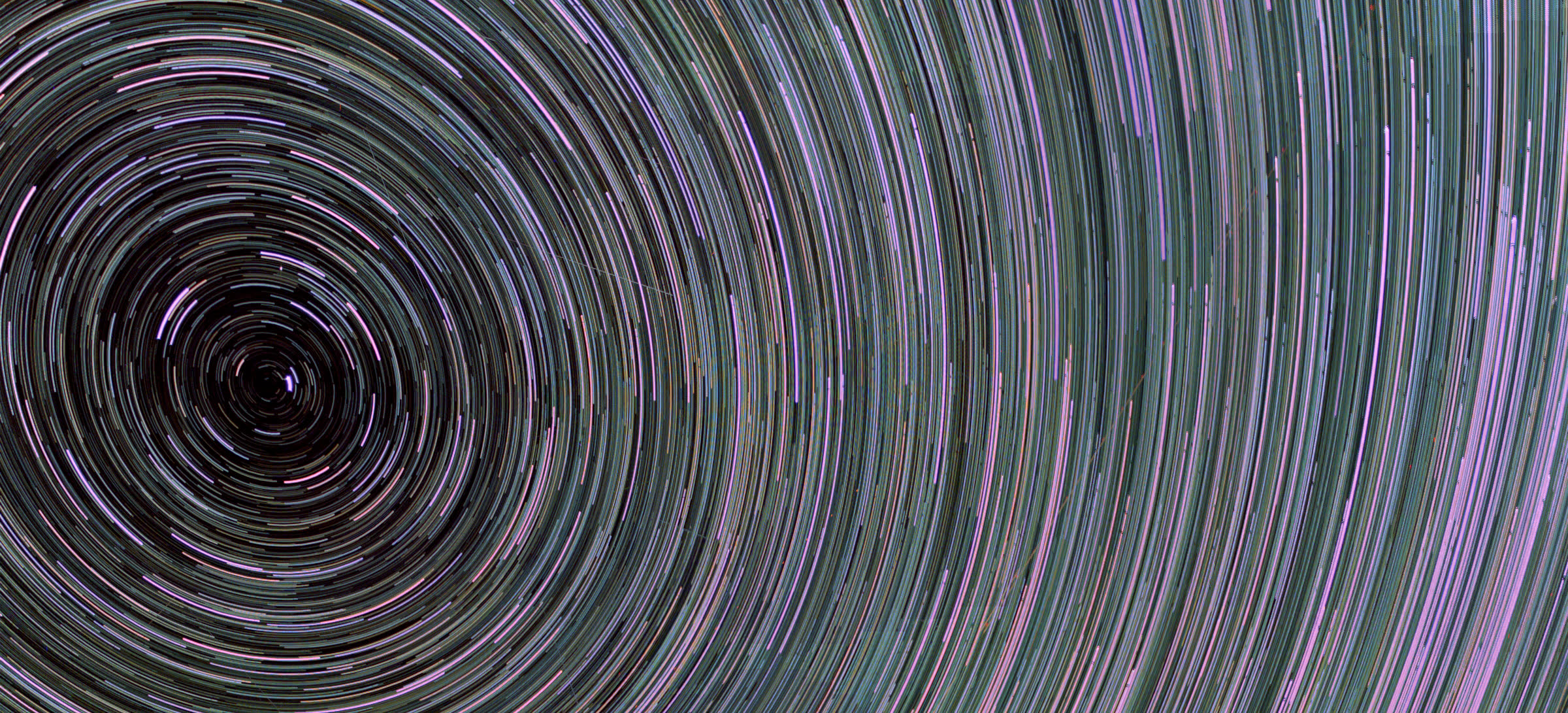
A better finish for a night well spent
Star trails without the airplanes.
Bring your RAW or JPEG sequence. Close the gaps, clean up passing aircraft and shape the trails into a photograph worth keeping. Review every change before you export.
Stack your night See real nights
RAW · JPEG · TIFF · FITS →Free in your browserNo uploads
- Clean before stackingMoving straight tracks are compared between neighbouring frames.
- Six focused modesOnly the mode you choose is shown and run.
- Useful output16-bit pictures and signed FITS where the mode supports them.
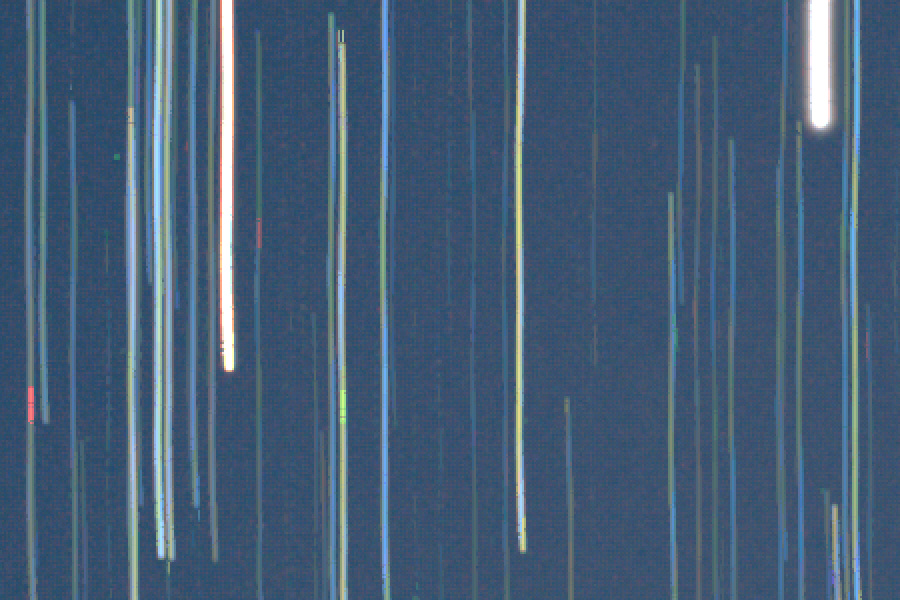
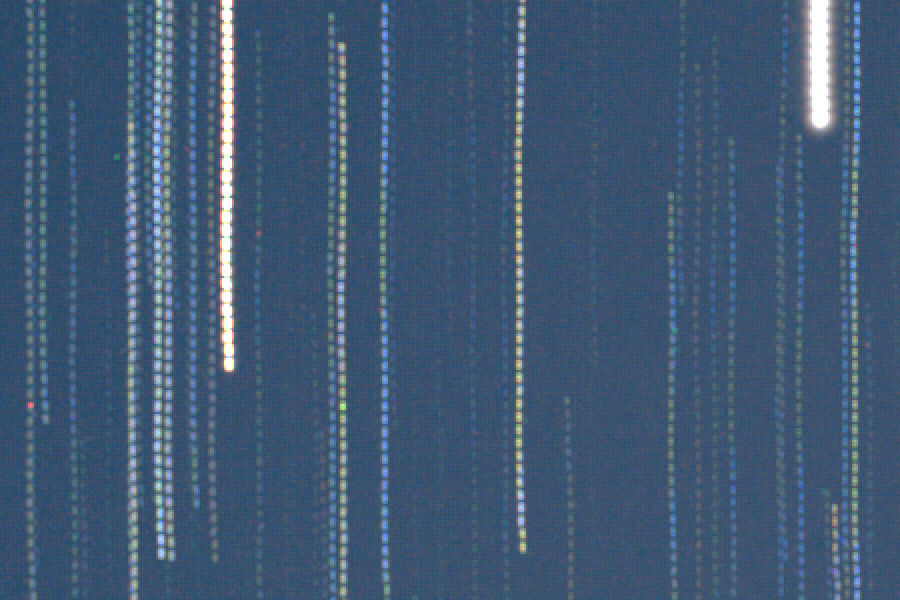
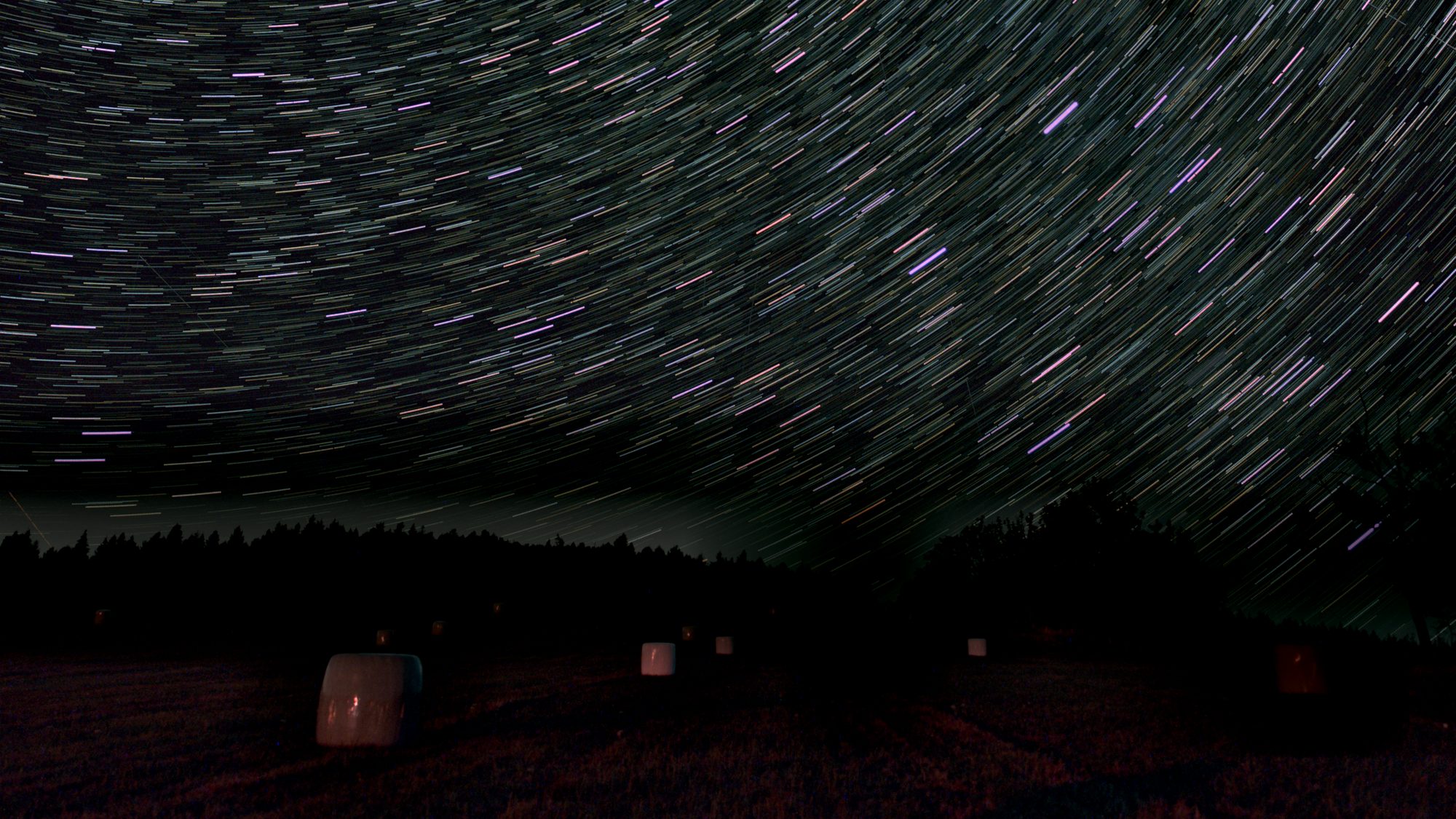
Same 50 frames · same brightness · 200% detail
Continuous, even up close
A trail, not a dotted line.
The sky keeps moving while your camera pauses. Close those gaps along each star’s own arc, using the light you actually captured.
- Timing from your frames. Exposure and interval guide the repair.
- Adjust the amount. Keep the look you want, from a light touch to continuous trails.
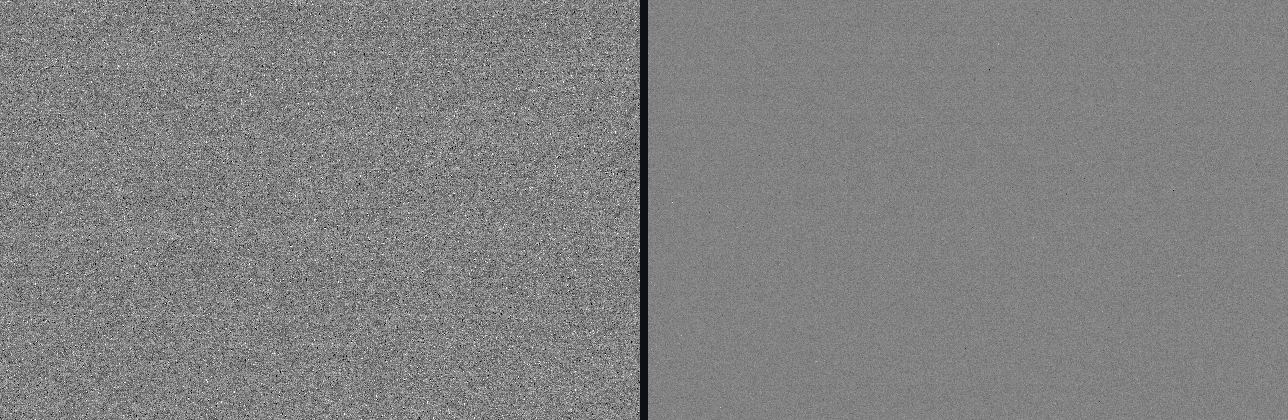
- Inspect at full size. Here, each 20-second exposure was followed by an 11-second gap.
Frames: MobilTelesco: A Smartphone based Astrophotography Dataset, Shantanusinh Parmar (2025), CC BY 4.0. Stacked with this tool. Only gap filling changes; both sides use the same brightness settings and crop, shown at 200% without smoothing.
Keep the night. Lose the distractions.
Aircraft cross your sky.
They needn’t cross your picture.
Repair moving lines with the same patch of sky from neighbouring frames. Your stars keep their paths.
- Review before removing. See each candidate in its original frame.
- Keep the moments that matter. Protect a meteor or any line you want to include.
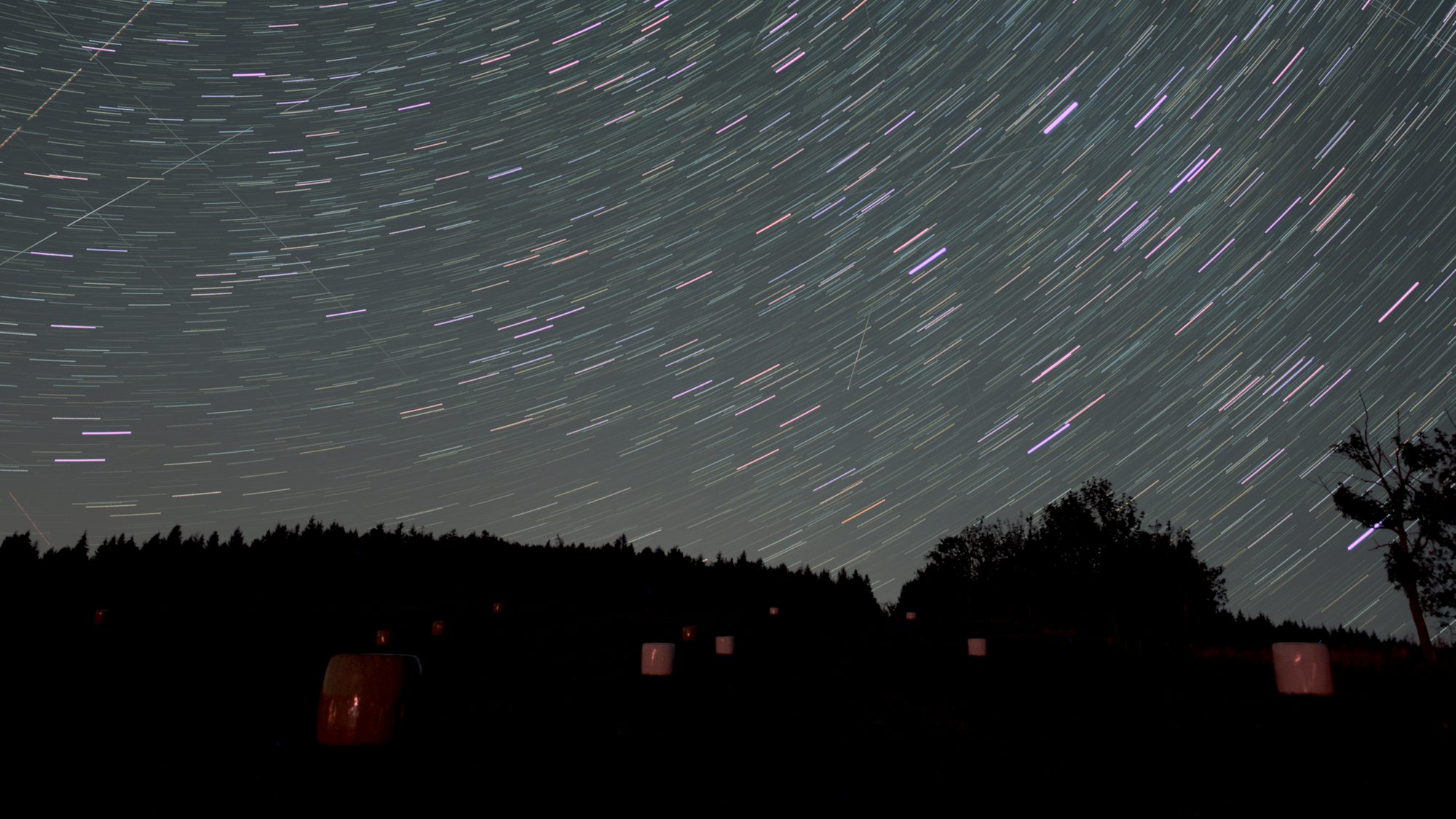
- Check the actual difference. These 380 frames were stacked twice with only line removal changed.
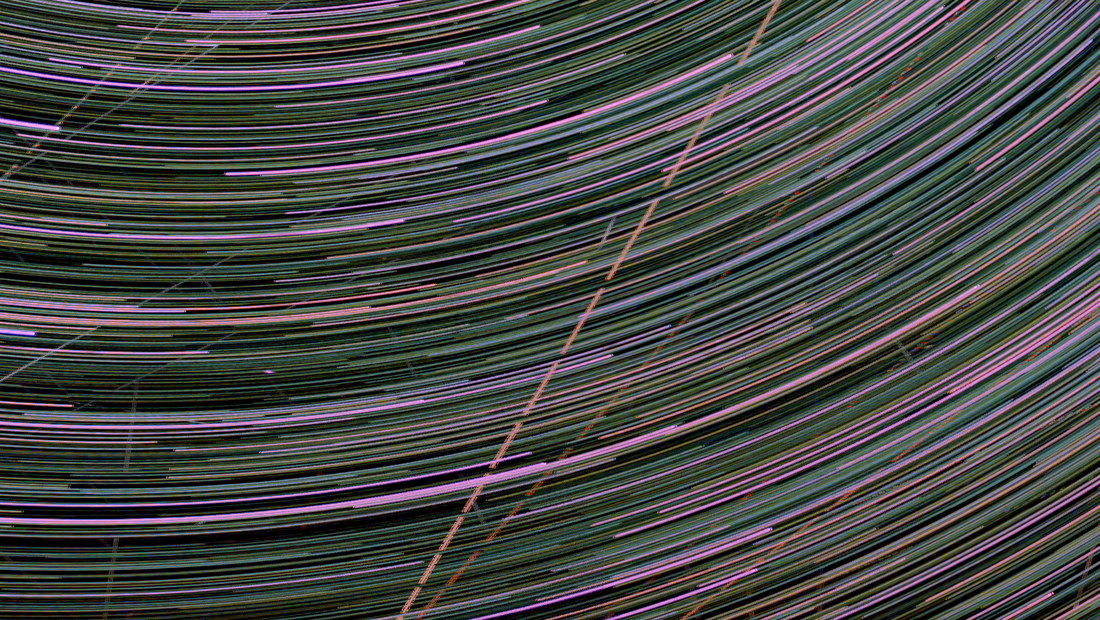
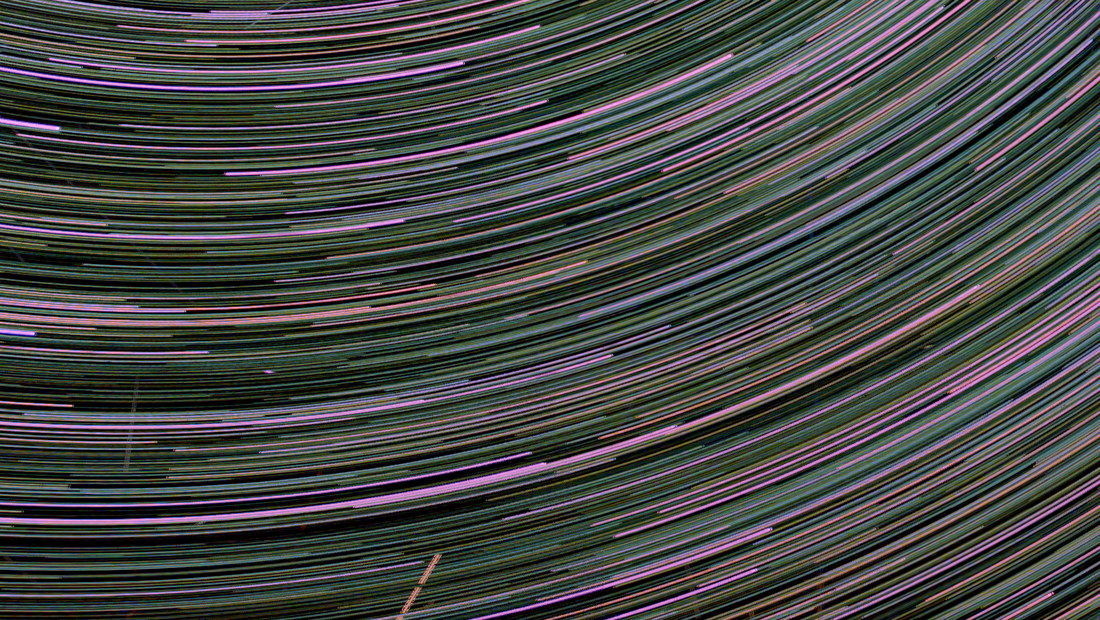
Drag or use the arrow keys. Identical detail crop, same brightness. A flagged residual lies below this view: full before / full after.
Six kinds of night
One app for the whole night.
Explore the six modes → See real examples →From long star trails to a sharp planetary frame, choose a mode for the result you want.
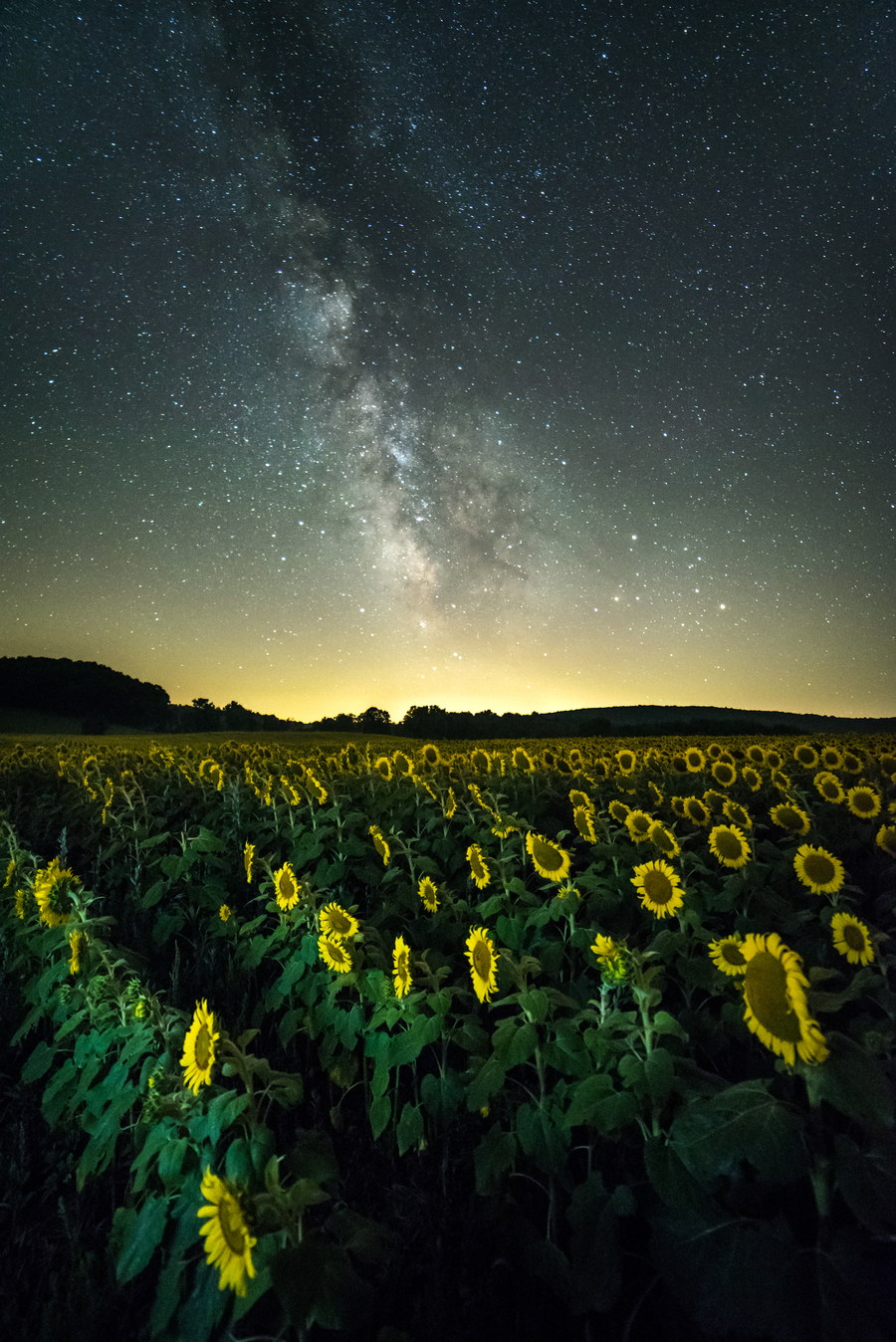
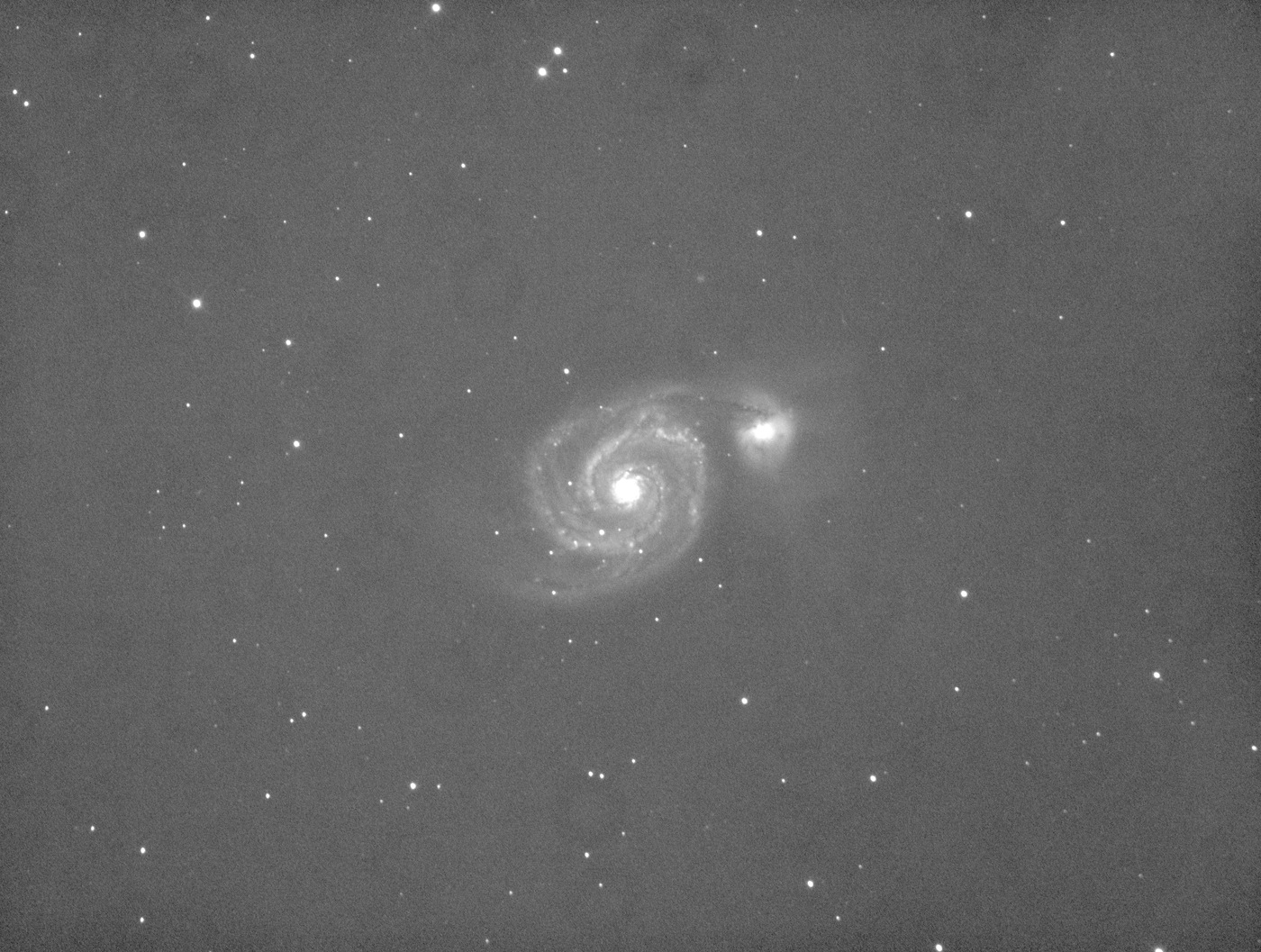
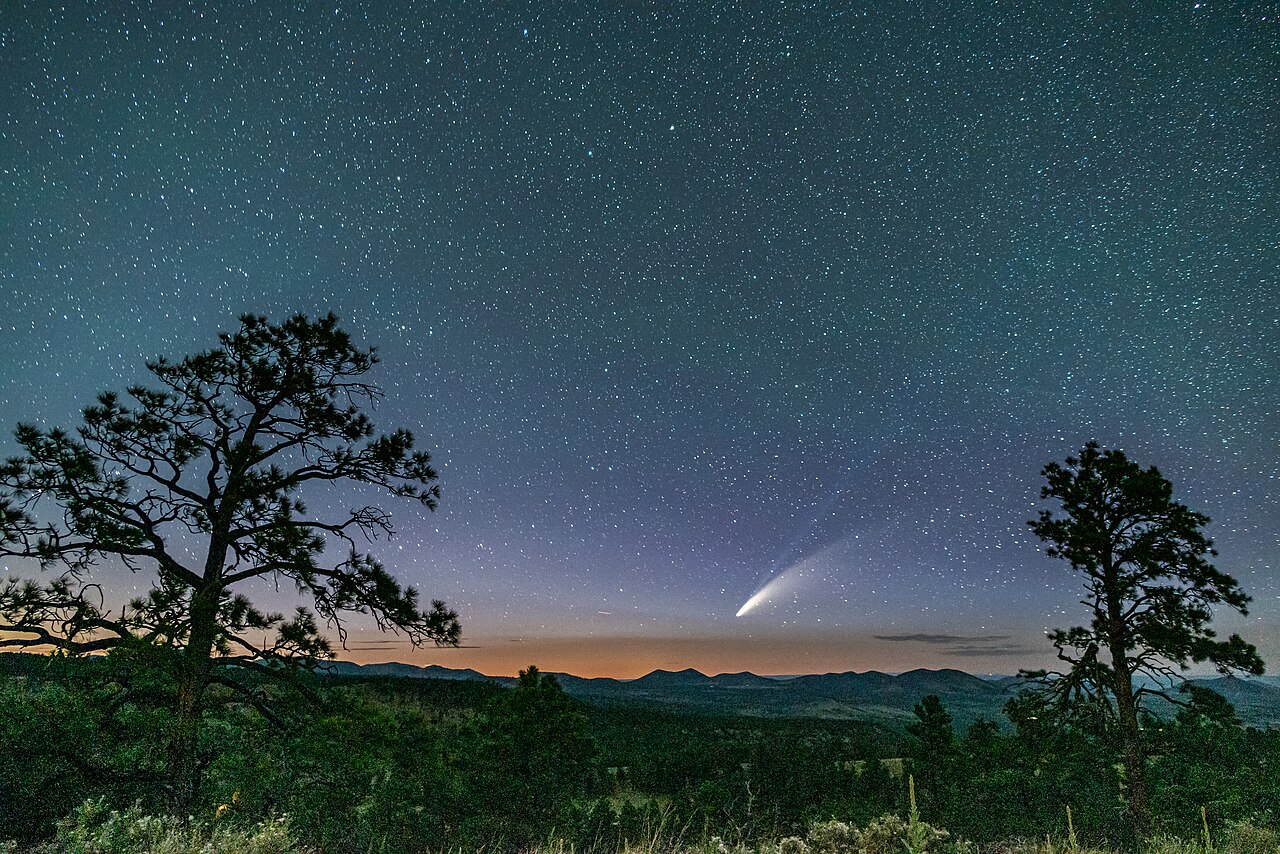
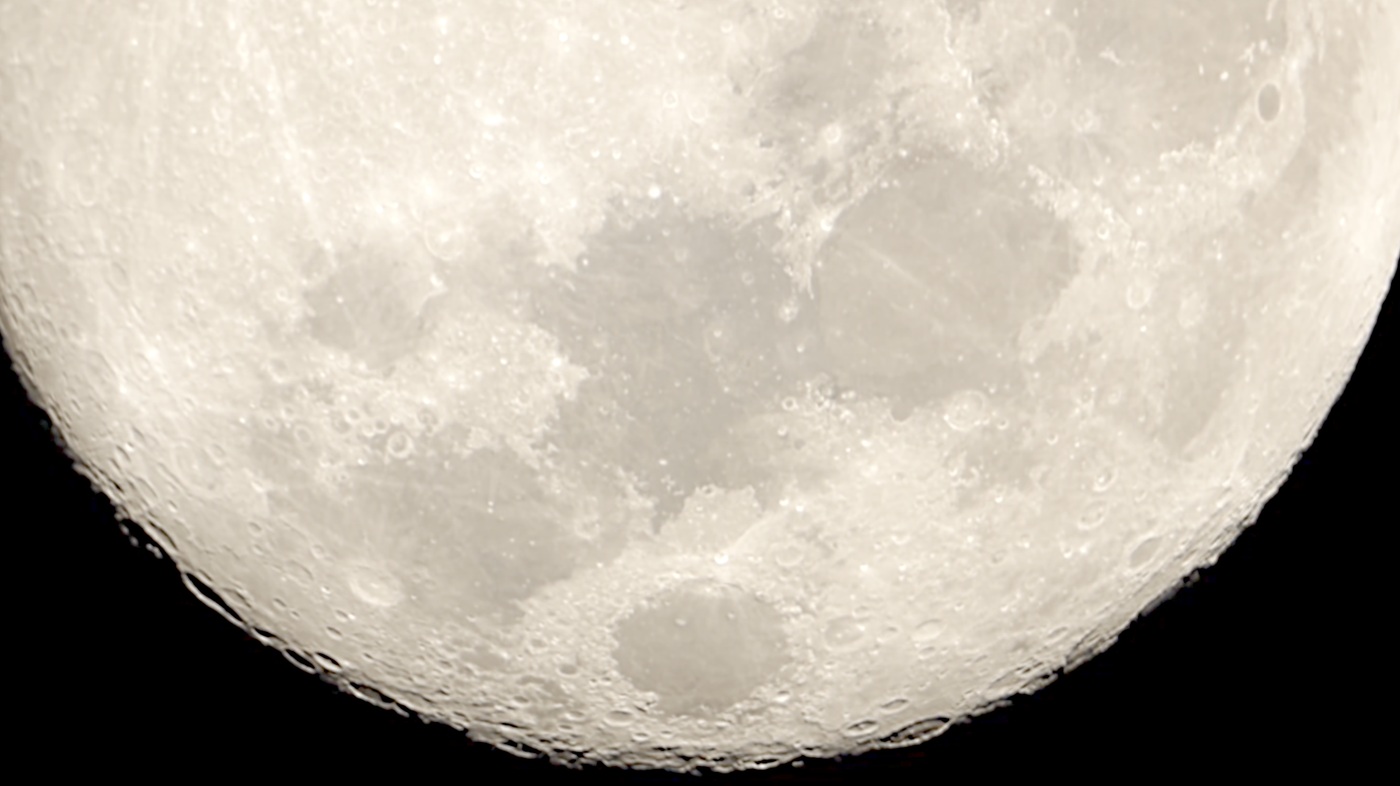
Stack a sequence
Start here Choose the picture or calibration master you want to make.
Add your frames Choose the files for your result. Nothing is uploaded.
Best on desktop for large RAW or FITS sessions — processing uses this device’s memory. You can still continue here.
Lights required for a picture
Cloud folders
Sync the folder to this device first, then choose it here.
Calibration, masters and masks
Add each file to its matching group.
Darks
Flats
Bias
Dark-flats
Masters
Reference
Mask
Light means sky, dark means fixed ground, and anything between is a soft edge. Greyscale only — a colour cannot say which side of the boundary it means, so a coloured mask is refused rather than guessed at. Choose Sky region → Imported mask to use it; you can brush corrections onto it afterwards.
What you have given it
Read from each file's header before anything is decoded.
Check the settings Review the settings, then press Start when you are ready.
Resource plan transparent working size and admission ceiling
This changes only supported resource controls. Registration, rejection, calibration, masks, colour, tone and output type stay exactly as configured.
Waiting for measured source dimensions.
Local project save your settings and review decisions
Last-used settings are saved automatically on this device. Export a project to keep review decisions too; reopening it needs the same original files.
Project files contain settings and decisions, not your photographs.
Compare a private plan with current Lights or a FITS sequence, locally
Choose one private SkyPlanV1 JSON file, then bind the current Lights or explicitly choose a FITS comparison sequence. Header timing and shape are read before any pixel decode. A FITS comparison never enters or starts the Star Trails stack. Photos, the plan and the receipt are not sent; one property-free completion event may be counted.
Optional override for comparison only. These files do not change the current Lights, processing roles or stack.
Used for naïve DateTimeOriginal and required for every FITS DATE-OBS sequence. It is never inferred from the device, location, filename, file time or FITS convention.
Nothing is bound. Files stay on this device and no stack is started.
Ready.
- Prepare
Read and calibrate the selected frames. - Survey
Compare neighbours when moving-line removal is enabled. - Build
Make the result once from the prepared frames.
From the first frame to the final edit
Make more of the night you captured.
Explore every feature →Keep the meteor
The detector finds lines, not object names. Keep a fleeting moment and restack with your choice.
See how review works →Give the trails your look
Choose from eight blends. Even out the background, make a softer average or taper both ends with Javelin.
Choose a blend →A picture, master or film
Keep editing with a 16-bit PNG or a supported astro mode’s signed FITS. Export growing trails as an MP4, too.
Choose an export →Make a time-lapse →- 01
Choose your frames
Pick your result, then add its Lights, calibration files and masks.
- 02
Check the night
Review camera, dimensions and compatibility before decoding. Check a resource plan for this device.
- 03
Shape the recipe
Start with the defaults, then open just the groups you want to change.
- 04
Press Start
Follow preparation, survey and the build. Processing happens on your device.
- 05
Review and export
Inspect detail, keep or remove lines, then save the finished picture or film.
Visible difference
Your night, with the avoidable damage removed
Open the gallery →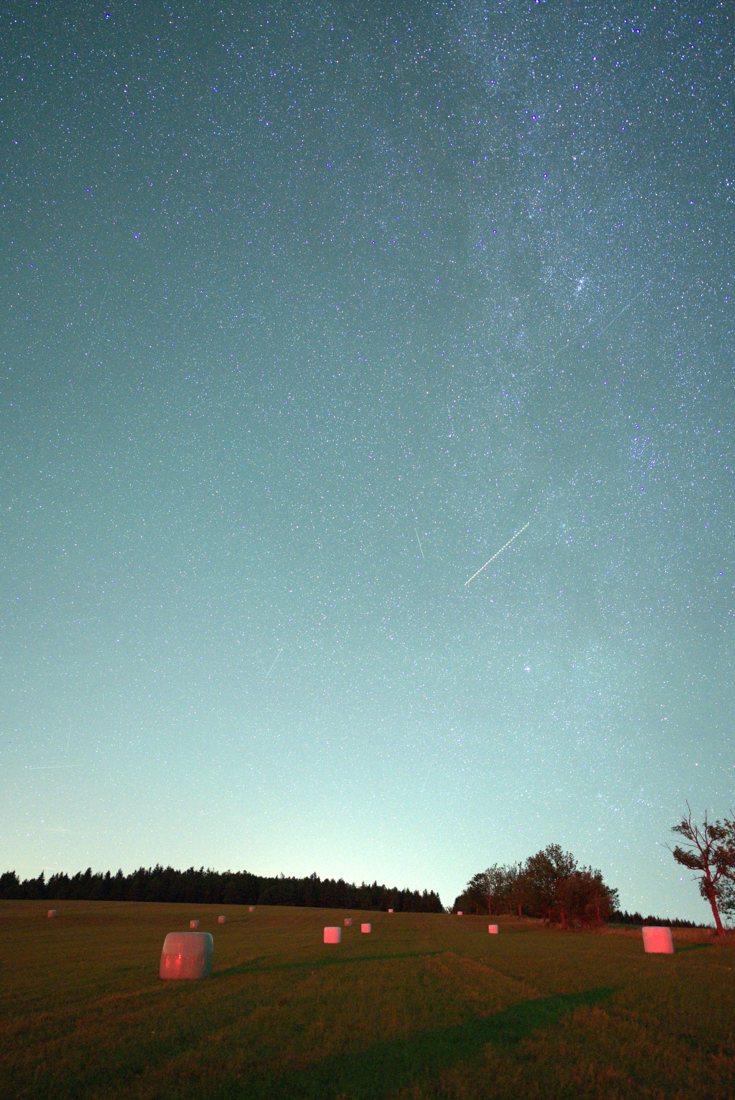
From camera to editor
Bring the files you already shoot.
Check your format →Camera RAW
ARWCR2 / CR3NEFDNGRAFORFRW2PEF
Pictures
JPEGPNGTIFFWebP
Astro & video
FITSSERAVIMP4 / MOV
Camera and video support varies. Check your format before a run.
Plans after the beta
Open to everyone while the beta is running.
Read the full plan details →Planned after the beta
Free
$0- Three finished Star trails or Nightscape nights each month
- A 12-frame preview in Deep sky, Comet, Planetary and Calibration lab
- Line removal with review, gap filling, the evened sky and 16-bit PNG
- Every planning tool, map and aurora page
Planned after the beta
Pro
Beta$5.99 a month$39 a year · save 46%
- Unlimited nights in all six modes
- 32-bit FITS masters, films and covers in supported astro modes
- Resume a stopped run and stack a night in sections
- Desktop apps for macOS, Windows and Linux when they ship
Not open yet — nothing is charged, and no card is asked for. All modes and exports stay open during the beta. Choosing an option records interest only.
Before your first night
A few things worth knowing.
Bring the photographs you want to work on. The browser tool is free to use.
See the planned options →Where do my photographs go?
They stay on this device. The browser reads and processes your selected files locally; it does not upload them for stacking. Read the privacy details.
Do I need to install anything or sign in?
No. Open the workspace in your browser, choose a mode and add your files. Processing begins when you press Start.
Can I use my phone?
Yes, for nights that fit its memory. Large RAW and FITS sequences are better suited to a computer. The workspace checks the memory it needs and explains when a run cannot fit.
Will it remove a meteor?
The detector finds moving lines; it does not identify meteors. Review the candidates and choose Keep for anything you want in the picture, then restack with your choices.
Can I keep editing the result?
Save the 16-bit PNG to continue in a photo editor. Deep sky and other supported astro modes also provide FITS. The export sheet lists only the files your run actually produced. Choose the right file for your editor.
Plan before dark
Four tools, no app install
All planning tools →
Learn one thing at a time
Practical guides for the next clear night
All guides →

.jpg)
Your first star trailCapture, stack and finish a complete night.
Remove aircraft and satellitesWhat is detected, what is repaired and what stays reviewable.
Formats that really workRAW, raster, FITS, SER and AVI evidence, plus named refusals.
Star trails on a MacA fair comparison with the desktop alternatives.
Six modes, one session
What you can make with a folder of exposures
Each of these is a different question about the same night, and each says what it measured rather than handing back a picture and leaving you to trust it.
-
Star trails
The maximum at every pixel, after each frame's own sky background is equalised away. Click any pixel of the result and it names the frame that made it.
-
Nightscape
A fixed tripod: the sky is stacked while the ground stays a single sharp frame. The boundary is yours — proposed, drawn as a horizon, widened into a band, imported, or painted by hand.
-
Deep sky
Every included Light registered against a reference you choose, then integrated by mean, exact median or sigma-clipped mean. Out comes signed, unclamped 32-bit FITS as well as a picture.
-
Comet
Mark the nucleus on every frame and get three results: stars sharp, comet sharp, and the composite on one exact grid. Nothing about a nucleus is ever guessed for you.
-
Planetary
Rank the frames of a SER capture and lucky-stack the best of them — several fractions at once, because the right one is not knowable in advance. It finds the disc for you.
-
Calibration lab
Reusable dark, flat, bias and dark-flat masters from your RAW groups, previewed before and after with the signed difference between them, exported as Float32 FITS.
What it does before you touch a control
Every number this page shows was measured on your own files, before you were asked for anything. The three it is most often thanked for are below; the full list is under them, because nobody reads a wall of text until they have a reason to.
Aircraft and satellites
Compares neighbouring Lights before stacking, verifies the line at full resolution and lists every removal; one-frame meteors are lines too and are not silently given a different label. See what a removal changes.
Gaps between frames
The fill radius is computed from your interval, exposure and image scale — not offered as a slider. Why trails come out dotted.
What your lens does
Reads the measured coefficients for the lens your files name and reports the displacement in pixels. See the numbers for a 14 mm.
Faint structure
Separates the picture by scale, so detail can be lifted without lifting the noise it sits in. See it on a real telescope frame.
Whether drizzle helps
Measures how your frames landed inside the pixel, and says no when a bigger file is all it would buy. See a dithered set refused.
What it will not do
It declines, with the reason, wherever it cannot measure what you asked for. The refusals are listed further down this page rather than discovered at four in the morning.
Everything it measures before you touch a control
Every mode, in detail
- Star trails — and the aircraft search measured against somebody else's labels
- Nightscape — two products, and the foreground it will not invent
- Deep sky — three methods, and the eight-frame refusal
- Comet — where every scientific decision is yours
- Planetary — the header it reads first, and the three choices it insists on
- Calibration lab — the groups it will not mix
- Tells you what to shoot before it tells you what it did
- The gap between exposures is what ruins a star trail, not the exposure, and in-camera noise reduction is the usual culprit. The whole job, from the night to the finished file, is five steps. Your first star trail.
- Says which file types a real file has been through, and which only a fixture
- Code that accepts an extension is not the same as a file of that kind having been read, and the gap between the two is where people lose an evening. Every format carries which of the two is true — including the five RAW containers nothing has ever been read from. What it can read.
- Reads the interval, the exposure and the image scale out of your files
- So the gap-fill radius is computed, not guessed. Most tools ship it as a slider with no units; it is arithmetic, and the page shows you the arithmetic. Why trails come out dotted.
- Measures how far your sky drifted, and says so in your own units
- A night whose background moved twenty-five times its own noise is a night where a plain lighten stack keeps almost nothing; a steady four-sigma night is one where the difference is modest and you should be told that too. It is a fact about your sequence, and you get it before the download, not after.
- Equalises each frame's background before the blend
- The whole difference — and how much it is worth depends on your night, not on this page. Measured on three cameras, with the range and its limits.
- Leaves out the frames that would spoil it, before they are in
- Cloud and passing headlights raise a frame's whole background; those frames are found and set aside first, because a maximum cannot be undone once it is taken.
- Removes stuck sensor pixels, and does not touch your foreground
- A pixel bright in nearly every frame is a sensor defect that max turns into a permanent fake star. A whole treeline is also bright in every frame — so only small, isolated clusters are repaired. Warm pixels in RAW frames, bright in only some of them, are found in each frame's sensor mosaic and taken out of the finished stack before gap filling, which would otherwise draw each one out into a coloured dash.
- Finds natural satellite trails; aircraft stay reviewable and measured
- On five independently labelled crops from the licensed ASTA MeerLICHT corpus, it found all six satellite trails — thin, saturated, parallel and crossing — and none in the clean crop. The protective masks recovered 97.2–100% of labelled trail pixels; their 21.6–49.8% pixel precision is intentionally lower because the mask extends beyond the bright core. This small tracked-telescope benchmark validates detection and mask geometry, not the later star-arc repair. On two paths in a credited consecutive Yebes Observatory sequence, ordinary detection found 3/5 and 2/3 positions; sequence evidence rebuilt the first to 4/5 automatically and offered the missing position in the second as review-only, reaching 3/3 after an explicit Remove decision. Exact leave-one-Light-out checks matched all 3,273 and 5,376 masked RGB donor samples. This is still a small corpus: current blind spots include short tracks and one weak, sparsely dashed endpoint that remains missed. See what a removal actually changes, on one of those frames.
- Nothing is removed that cannot be repaired afterwards
- A star sits on any given pixel in exactly one frame, so masking that frame deletes the star from the result — on real tracked stars, masking one frame of thirty-eight took 22.8 of a 25.9 sigma peak away. The hole is closed again along the star's own arc, and a trail is only ever masked where that repair can reach. If it cannot reach, the trail is reported and left alone.
Stated, not buried
What it does not do
Every limit this tool has, named. A stacker that hides what it cannot do is a stacker you find out about at four in the morning with a night's frames already loaded.
Show every limit, in full
- Deep sky: what it integrates, and what comes out
- Deep sky registers every included Light before mean, exact median or sigma-clipped integration; sigma clipping requires at least eight Lights. Frame quality is shown, but only your explicit manual exclusions remove Lights. The downloads are a display-stretched 16-bit PNG and the same signed, unclamped integration as 32-bit Float32 FITS with R, G and B planes.
- Deep sky: what it refuses rather than guesses
- Deep sky accepts a homogeneous sequence of
.fit,.fitsor.ftsLights only after you explicitly confirm they are already calibrated scientific-linear data. They must be 2-D mono, an explicitly labelled R/G/B cube, or complete explicitly mapped mono R/G/B groups with matching geometry and BUNIT. Grouped components additionally require supported TAN WCS and a visitor-selected 1×–4× working size; no channel, reference or resource rung is inferred. CFA, BLANK samples, raster/RAW mixing and calibration or master roles are refused rather than guessed. Deep sky also refuses Reference and Mask inputs rather than ignoring them. Mean, Median and Sigma-clipped mean have no frame weights or per-pixel reason maps. The two-pass clipped mean, which Automatic uses from 8 Lights, first brings each Light's sky to the reference Light's, measured on the registered Light itself, so a Light with a brighter sky is not clipped away. The additive-normalised mapped path keeps contribution, rejection-count, rejection-reason and measured inverse-noise weight maps; RGB uses one luminance-derived spatial decision for all three channels rather than clipping colour channels independently, automatic quality cull or user-selected reference. The result reports the geometrically contributing-Light count and the common footprint; an optional common-overlap crop applies that one rectangle to the preview, PNG and FITS and is off by default. With the reference-sized default, pixels outside a registered frame are filled with zero and remain as dark non-overlap edges. A RAW Light with no readable preview is surveyed from its own sensor data, and exact median or sigma clipping can be refused when their retained frames do not fit the browser memory ceiling. - Comet: every nucleus is yours to mark
- Comet mode accepts one homogeneous JPEG, PNG, WebP or TIFF Light sequence, or a homogeneous sequence of explicitly confirmed, already-calibrated scientific-linear FITS Lights under the strict FITS intake contract. It measures every star warp, then requires you to mark the nucleus on every included Light and choose the shared reference. It produces separate star-aligned, comet-aligned and exact-grid composite results, each as a display 16-bit PNG and signed, unclamped Float32 FITS. No nucleus, inclusion, transform or composite mask is inferred.
- Comet: what it does not take yet
- Comet mode does not yet accept camera RAW Lights, calibration files, masters, imported references or masks. It does not rank planetary video or export video.
- Planetary, Nightscape, and where a desktop tool is still the answer
- Planetary accepts one uncompressed MONO, RGB or declared-BGR SER capture plus the named bounded AVI/DIB and AVI/MJPEG paths, requires an explicit ROI, reference and Best-X choice, measures bounded global translation and exports deterministic all-valid PNG/FITS crops. Local alignment points, wavelets, measured drizzle and Richardson-Lucy deconvolution are available where their evidence gates pass. General MP4, MOV, WebM, audio and arbitrary video codecs are not accepted or fetched. Nightscape is deliberately limited to a fixed tripod: its sky region can be proposed automatically, drawn as a straight horizon, supplied as an image, or corrected with a sky/ground brush after the first result, while its foreground remains unregistered. Some Windows-only desktop tools cover several broader cases and do them well, and that is the honest reason this exists rather than any claim to be cleverer today. What runs on a Mac, compared fairly.
- RAW: three classes refused by name
- Three RAW classes are refused by name rather than hidden behind “unsupported”: Nikon High Efficiency NEFs, already-demosaiced linear DNGs, and legacy Fujifilm SuperCCD files with rotated sensor geometry. The refusal names the next usable path. The decoder, and the source we publish for it.
- RAW: a phone’s DNG night stacks whole
- Three 50-frame night runs from a realme 12+ 5G phone stack whole in Chromium, Firefox and WebKit, and Deep sky registers all 50 Lights of one of them. These are phone DNGs, a 10-bit colour mosaic; a camera body’s own DNG has only bounded Node pixel proof, one file at a time, and support remains body- and container-specific.
- Is this the “Startrails Stacker” sold on the Microsoft Store?
- No. That is a Windows application from another maker, with a similar name and a domain one hyphen from this one. This site is Star Trail Stacker: it runs in a browser tab on any desktop operating system, installs nothing, and is not affiliated with it. Which browsers it runs in.
- Where the work happens
- Your photographs are processed inside this browser tab and are not uploaded for stacking. Read the data boundary.
- Support
- Support is available by email. The contact page gives the address and what to include.
Guides to the night you are shooting
Twenty-three guides, written from the same measurements this tool runs on. Every one of them says what was measured rather than what sounds right.
-
Star trails
-
Camera and lens
-
Milky Way and nightscapes
-
Deep sky, comet, planetary
-
The tool and your files
All 23 guides, grouped by subject